Green
94/94 checks passed
Seventy-one contracts, 23 audio renders and 20 UI checks cover DSP, rack state, automation, bounds and safety.
Other apps from MomentiumSattari Audio · Native audio suite

Tune a performance. Shape an instrument. Carry the musical context through your mix.
v0.2.0-alpha · 94/94 checks green · 23 verified release bundles
SMALL PROJECTS. REAL POSSIBILITIES.
Six native-product exercises, from agreeing on the song’s key to shaping the final space. Use the signal-flow guide to plan a chain before opening the native suite.
What you getA shared musical starting point that stays under your control.
What you getA deliberate vocal treatment. Engine and component maturity vary by build.
What you getA focused layered instrument instead of four competing full-range sounds.
What you getA processing plan you can explain and revise. The guide below does not run the native processors.
What you getA reviewable mix proposal, not automatic control of unseen DAW routing.
What you getA repeatable creative chain with room for the original performance.
INSIDE SATTARI AUDIO
Six connected native audio products.
31features to explore
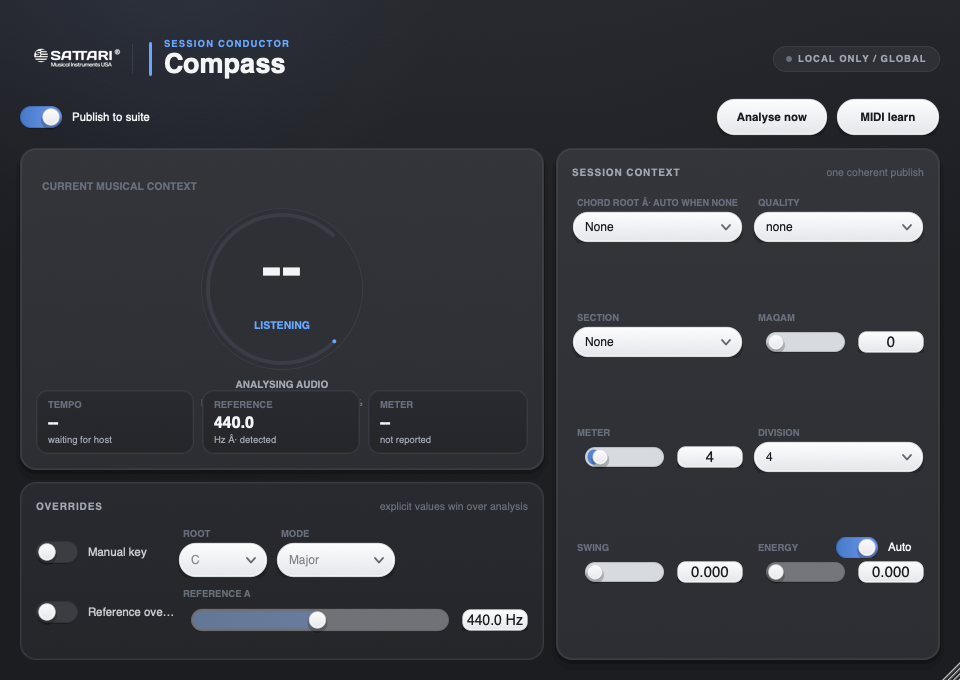
Understand and share the session’s musical context.
Key and chord evidence, reference tuning, energy, and onset analysis.
Try this in an exampleHost-tempo information and user-approved musical context.
Manual overrides and shared context for participating suite tools.
Try this in an exampleRelated tools: Key, Tuner, and Scope.
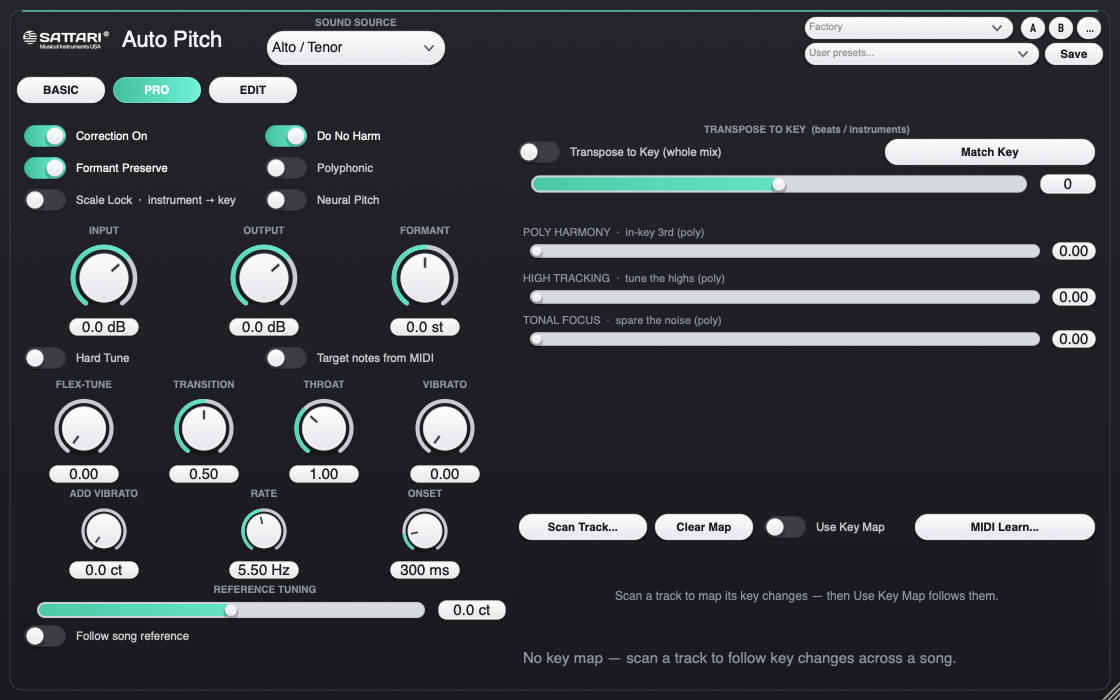
Correct pitch, shape vocal character, and build harmonies.
Monophonic pitch correction and a separate polyphonic tonal-correction path.
Try this in an exampleManual scales, editable pitch classes, MIDI targets, AutoKey, shared Song Key, and modulation-aware Key Maps.
Formant, flex, humanize, throat, vibrato, and correction-feel controls.
Natural, Classic, Modern Rap, Robot, and harmony-oriented starting points.
Four harmony voices with individual level, pan, delay, detune, vibrato, interval, and octave controls.
Try this in an exampleChord-aware, diatonic, or MIDI-directed harmony planning.
Captured note editing and per-note correction bypass.
Studio and live-monitoring engine choices with different latency and quality tradeoffs.
Related experimental tool: Maqam microtonal tuning.
Generate, layer, and perform musical material.
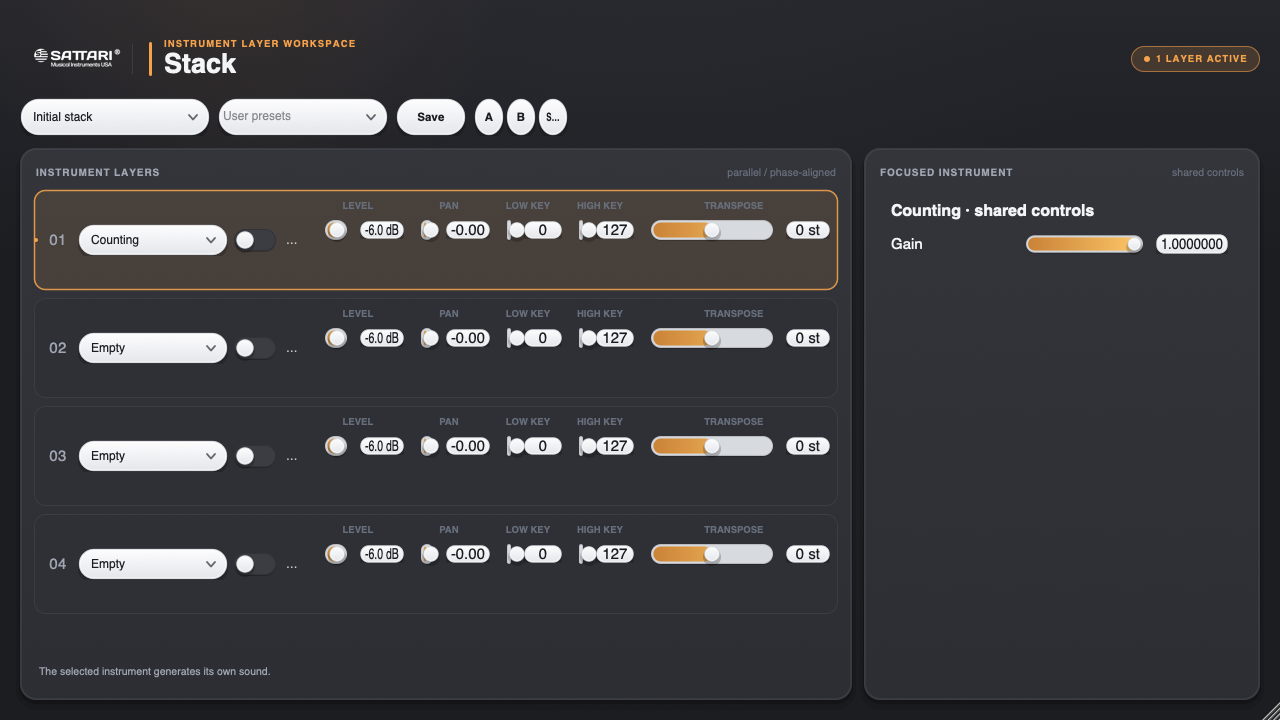
Stack: Four parallel instrument layers with level, pan, key-range, and transposition controls.
Try this in an exampleCurrent rack sources include Chop, Rhythm Genie, and Granulator.
Try this in an exampleRelated tools include Arp, Scaler, VoxKey, and VoxSynth for arpeggiation, scale-oriented MIDI work, voice-to-MIDI, and voice-driven instrument experiments.
Instrument and component maturity varies.
Build a complete vocal-processing chain.
An eight-slot rack for cleanup, gating, de-essing, compression, tone, saturation, doubling, and space.
Try this in an exampleReorderable processing and preset starting points.
Try this in an exampleRelated specialist components include Royal Chain, Harmony, Vocal Master, Double, De-Ess, Face, and Glass Choir.
Several specialist components remain experimental.
Control tone, dynamics, balance, and translation.
An eight-slot processing rack with dynamics, EQ, restoration, metering, stereo, and timing tools.
Related components: Clean, Comp, EQ, Gate, Peak, Multiband, Transient, Meter, Image, Align, Sub Conjurer, Side Chain Master, and Bus.
Internal Auto Mix assistant: Link participating tracks into a group, assign roles, lock tracks, and analyze a passage.
Try this in an exampleReview proposed gain, low/presence EQ, and dynamics adjustments.
Audition Original versus Proposal, level-match comparisons, keep the mix, or undo it.
Try this in an exampleThe assistant uses bounded rules; it does not automatically understand an entire arrangement or control unseen DAW routing.
Transform sound with musical effects.
An eight-slot creative-effects rack with reusable starting points.
Reverb, delay, shimmer, saturation, tape/lo-fi treatments, rhythmic modulation, transitions, and vocal effects.
Try this in an exampleRelated components: Morph, Warp, Space, Vocoder, Shimmer, Echo, Heat, Riser, Pulse, 808, and Warble.
Supported tools can follow approved musical context; broader component integration remains experimental.
Try this in an exampleForty-eight components are the implementation. These six are the experience: each one completes a musical job instead of presenting a shelf of parts.
All six products have fresh Universal builds, product contracts and host validation. Real-vocal listening, full DAW sessions and Apple distribution credentials remain release gates.
Seventy-one contracts, 23 audio renders and 20 UI checks cover DSP, rack state, automation, bounds and safety.
Embedded CREPE, 0.01-cent mean settled error, honest latency and 3.7× neural realtime headroom in the objective lane.
AU, VST3 and standalone bundles pass signature checks; every product passes Apple auval and pluginval strictness 5.
Owned-vocal scoring, Logic/Ableton/FL projects, outside musicians, Developer ID signing and notarization still have to pass.
Most suites ship the same compressor three times over. Ours exists once.
Every processor is a module — the DSP with the plugin-ness removed. A module loads two ways: as its own plugin, or as a slot in a rack. Both run the identical code, so an improvement lands in both at once and they cannot drift apart.
It also means your sessions survive. A module keeps the same parameter names whether it runs standalone or inside a rack, so projects saved before the racks existed still open exactly as you left them.
Four hosts. Pick a module per slot, reorder it, bypass it. Nothing is welded shut.
The channel strip you assemble yourself — dynamics, tone and metering, in whatever order the source actually needs.
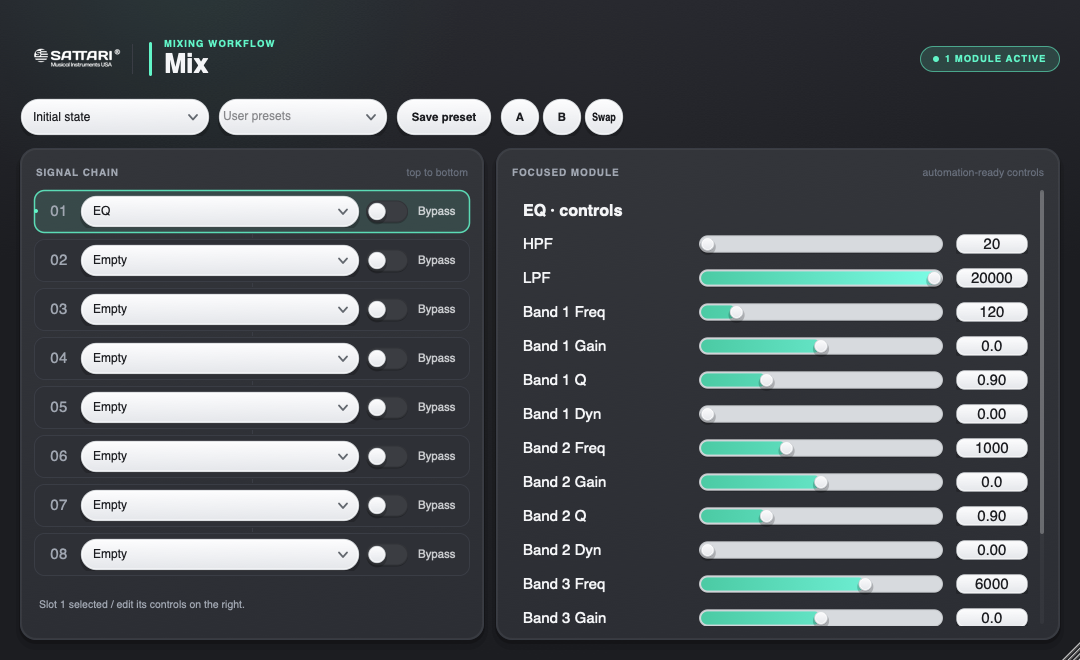
Each of the eight slots holds one module and has its own bypass. Slot 1 feeds slot 2, and so on down the chain — so you can gate before you compress, or compress before you gate, without owning two different plugins.
An external sidechain runs through the whole rack. Route a kick into it and the compressor ducks a bass to it; the gate opens a pad from it. There's no routing toggle to forget — a routed key is the intent.
The last two were separate plugins. Their only real content was a fixed order of these same processors — so they're presets now, and the order is yours to change.
Time, space and damage — reverb, delay, shimmer, tape, risers and vocoding in one rack.
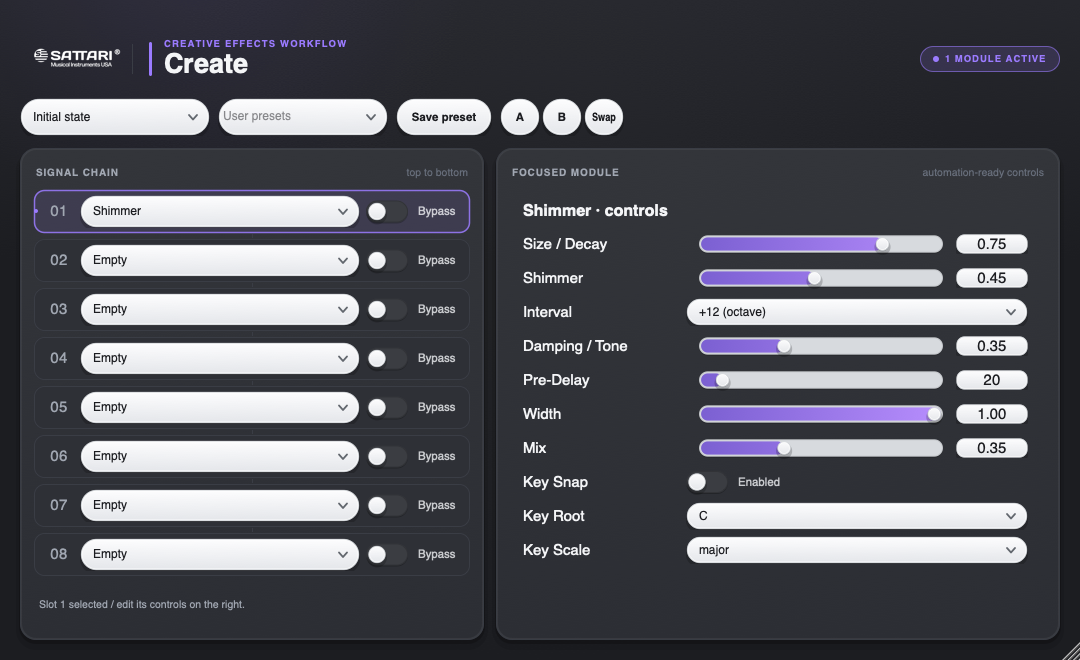
The same eight-slot chain as Mix, different cabinet. Reverbs and delays are tempo-locked: they follow the host, and when the host reports no tempo they fall back to the suite's own tempo bus rather than guessing 120.
Heat and Pulse appear here and in Mix. That isn't a duplicate — it's the same module in two rosters. A module is DSP, not a product.
Build the finish in one window: cleanup, gate, de-ess, EQ, compression, saturation, doubling and space.
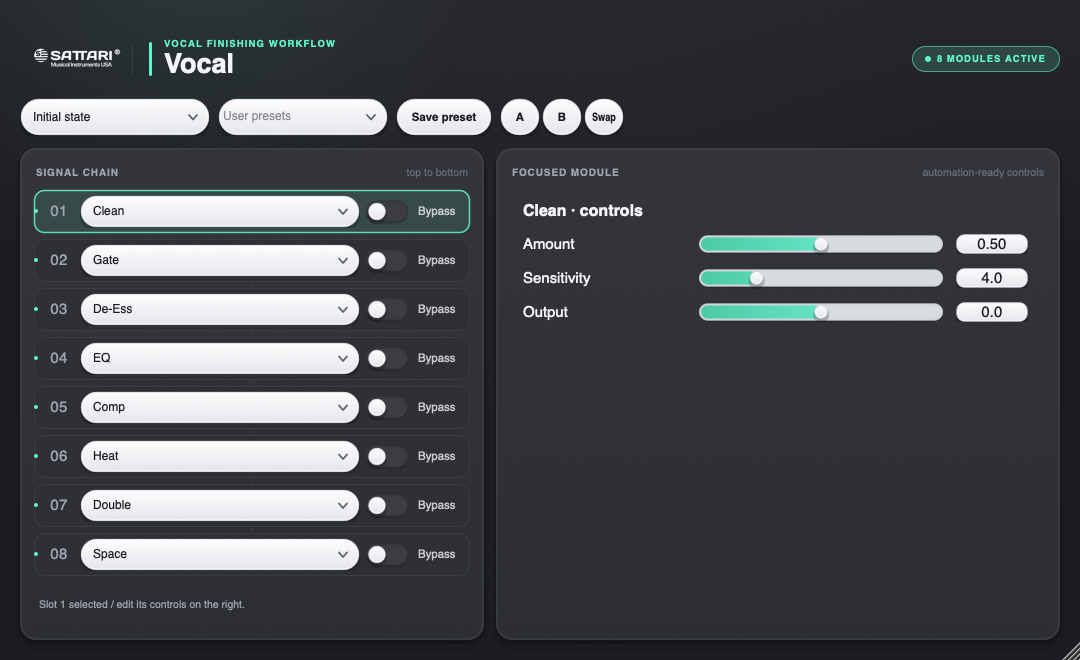
Vocal Studio fills all eight slots with the current production path. The roster also includes Face and Glass Choir for formant and ensemble work, while every slot exposes the real module controls and can be reordered or bypassed.
The instrument rack — and the one that works differently on purpose.
Stack layers rather than chains. Chaining instruments is meaningless: each would write over the last, so only the final slot would be audible. Instead all four layers receive the same MIDI, render at the same time, and sum.
That only works musically if each layer has its own placement, so every one carries level, pan, key range and transpose. The key range is what turns a stack into a split — drums below C3, sampler above — or an octave layer, rather than four instruments in unison.
Latency is the maximum of the active layers, not the sum, because they run side by side. Any layer reporting less than the worst is delayed to match — otherwise a fast instrument arrives early against a slow one and the stack flams on every transient.
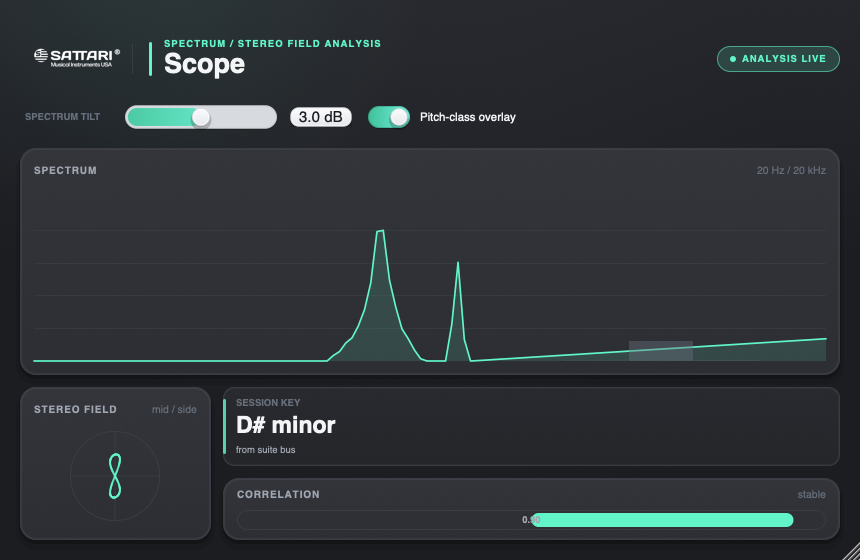
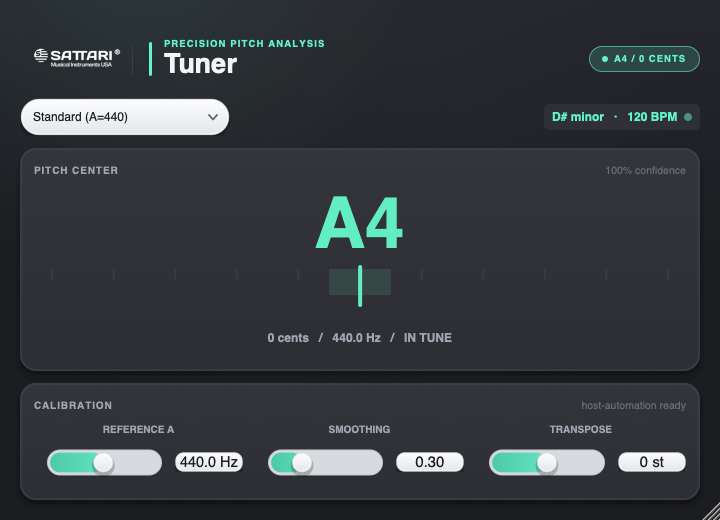
The analysis family uses the same dark, quiet visual system: exact values first, live context second, and no decoration competing with the work.
Spectrum, stereo field, correlation and session key in one surface.
Pitch, cents and confidence without visual noise.
Loudness, true peak and correlation built for decisions.
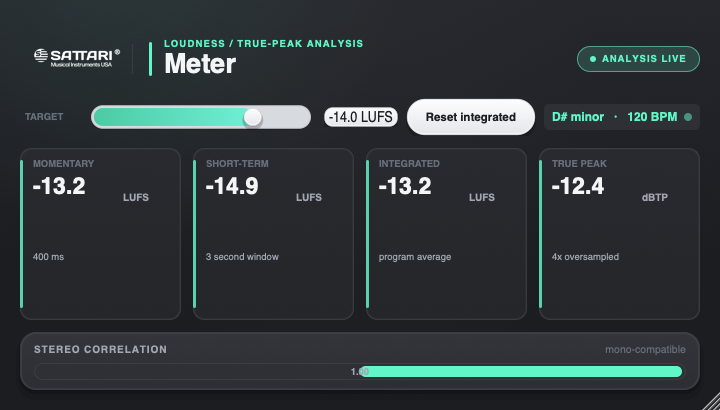
The master musical authority for the entire session.
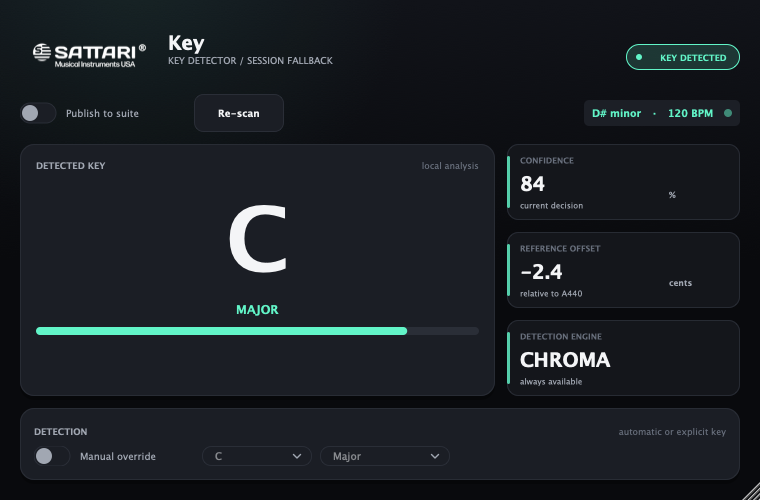
Automatically follows key, chord, tuning, energy and musical onsets, then publishes the approved session context.
Click modules to drop them into slots. Switch to Stack and watch the same interaction become parallel instead of serial.
↓ all layers sum to one output
Put Sattari Compass on the master. It detects key, chord evidence, tuning, energy and musical onsets, lets you confirm the map, then publishes one coherent session state.
Sattari Key remains the focused detector and fallback publisher. Auto Pitch, Harmony, Maqam, VoxKey, Arp, Scaler, Shimmer and Sub Conjurer can follow without MIDI routing, sends or duplicate setup.
HPCP detection always available · optional neural model requires separate provisioning and evidence
Not everything belongs in a slot. These are deep enough that a rack row couldn't hold them — so they didn't get one.
Realtime monophonic correction from restrained to hard-tuned, with a separate polyphonic path for sustained tonal instruments and well-separated chords.
The focused key detector — HPCP by default, with a separately provisioned neural model — publishing qualified context to compatible followers.
Voice character and in-key echo. Deep enough to deserve its own window.
Your voice as the instrument. It needs an audio input, which is exactly why it could never be a MIDI layer in Stack.
Diatonic harmony voices and microtonal / maqam correction, both following the session key.
Voice-to-MIDI, a key-aware arpeggiator, and key-following chords — MIDI tools rather than audio processors.
Browse by product, then open any component for its current capability and maturity.
Yes. Every module keeps the parameter names it had as a standalone plugin, so a project saved before the racks existed loads exactly as you left it. The standalone plugins are all still there too — the racks are an addition, not a replacement.
They were fixed orders of processors the suite already had. Rather than keep three plugins whose only content was a chain someone else chose, they ship as presets — "Bus (classic)", "Royal Chain (classic)" and "Vocal Master (classic)". Same starting point, and now you can reorder it.
Because an instrument and an effect are different plugin types to the host, and because instruments have to be layered rather than chained. Both are decisions that can't be reversed later without breaking saved sessions, so Stack was built as its own host from the start.
No. Every key-aware plugin keeps manual controls and works independently. Compass is the highest-authority session publisher; Sattari Key remains the focused fallback when you only need key.
All six products now build as Universal macOS Audio Unit, VST3 and Standalone bundles for Apple silicon and Intel, and pass their machine host gates. Public downloads remain closed until listening, supported-DAW, Developer ID and notarization evidence is complete.
The private Hub package contains Compass, Auto Pitch, Vocal, Mix, Create and Stack in AU, VST3 and standalone formats, plus qualified Arp and Sub Conjurer components. Public downloads remain closed until musical, DAW and Apple distribution gates pass.
Public download not openv0.2.0-alpha · 23 verified bundles · listening, DAW and Apple distribution gates open
CONNECTED TOOLS
Explore the related StemDeck and Bounce browser companions. The six Sattari native products and their existing product previews remain separate.
Visit StemDeck Visit BounceAFTER HOURS / StemDeck / Browser mixer companion
Start with original percussion, bass, harmony and melody. Set their entry point, balance their levels, and render a short mix you can listen to.
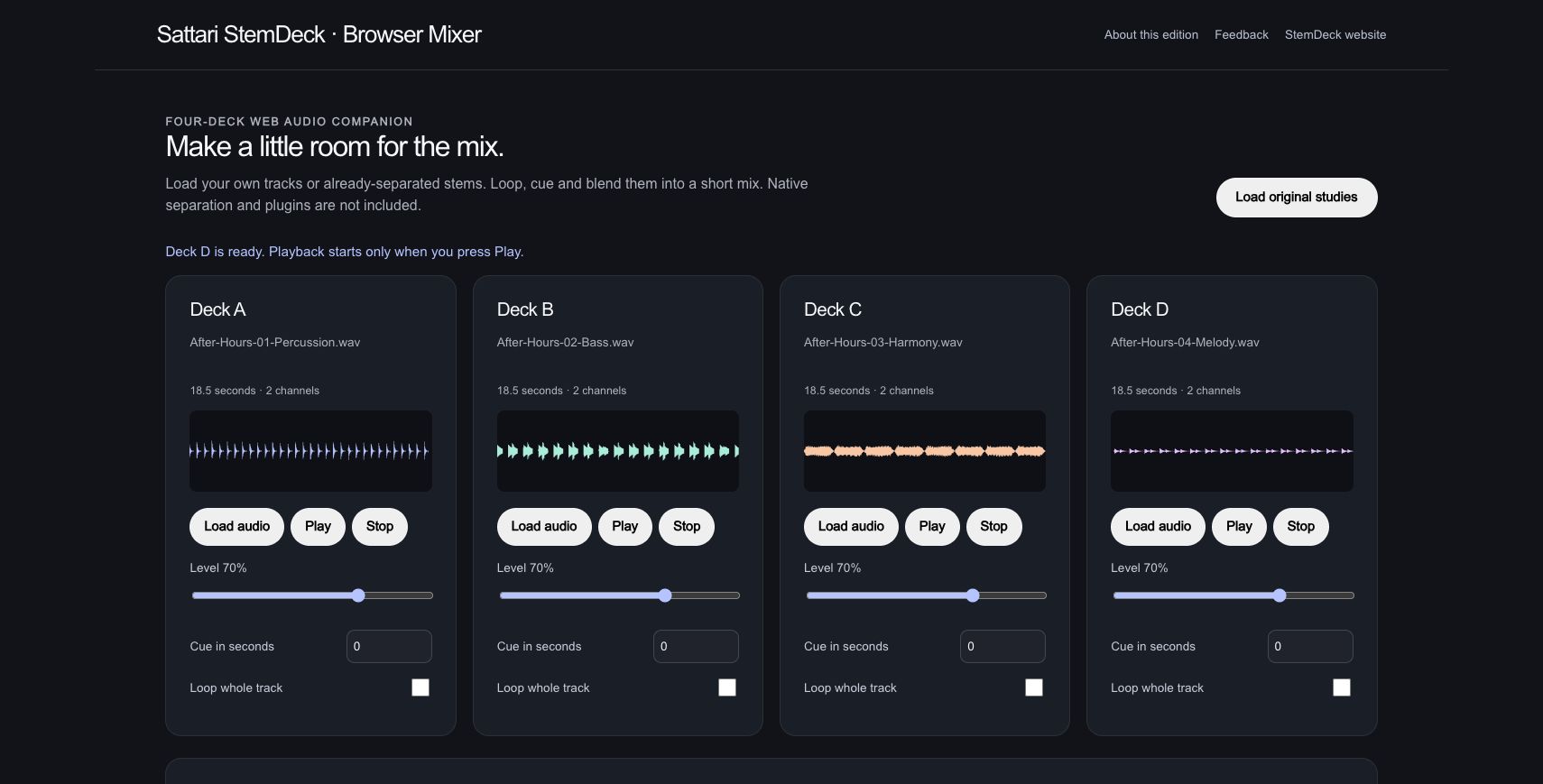
Four supplied original parts fill the four decks. Each 18.5-second stereo file has its own real waveform; these parts were composed separately.
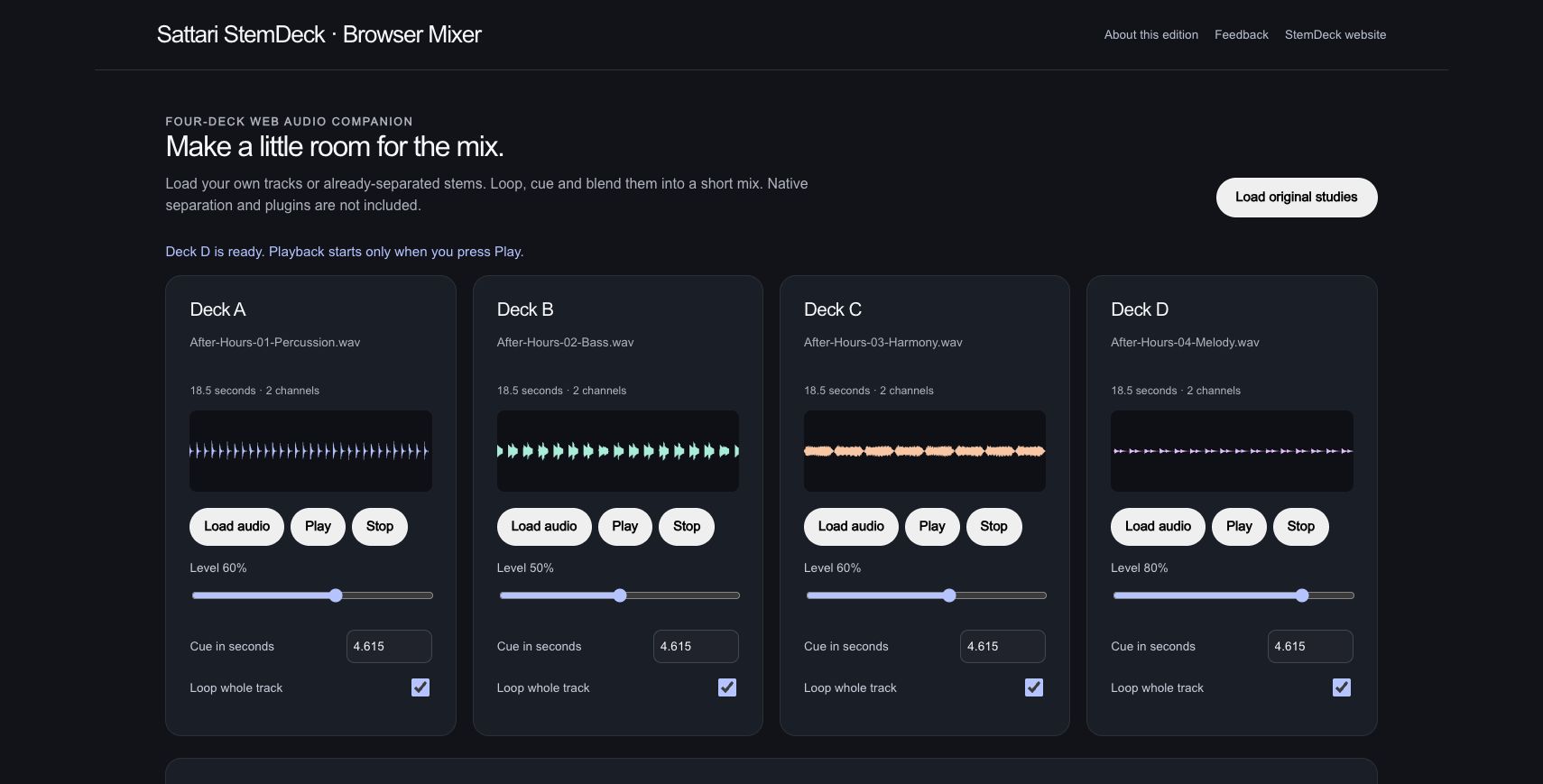
Deck levels are 60%, 50%, 60% and 80%. All four cues start at 4.615 seconds, about two bars into the source, with whole-track looping enabled.
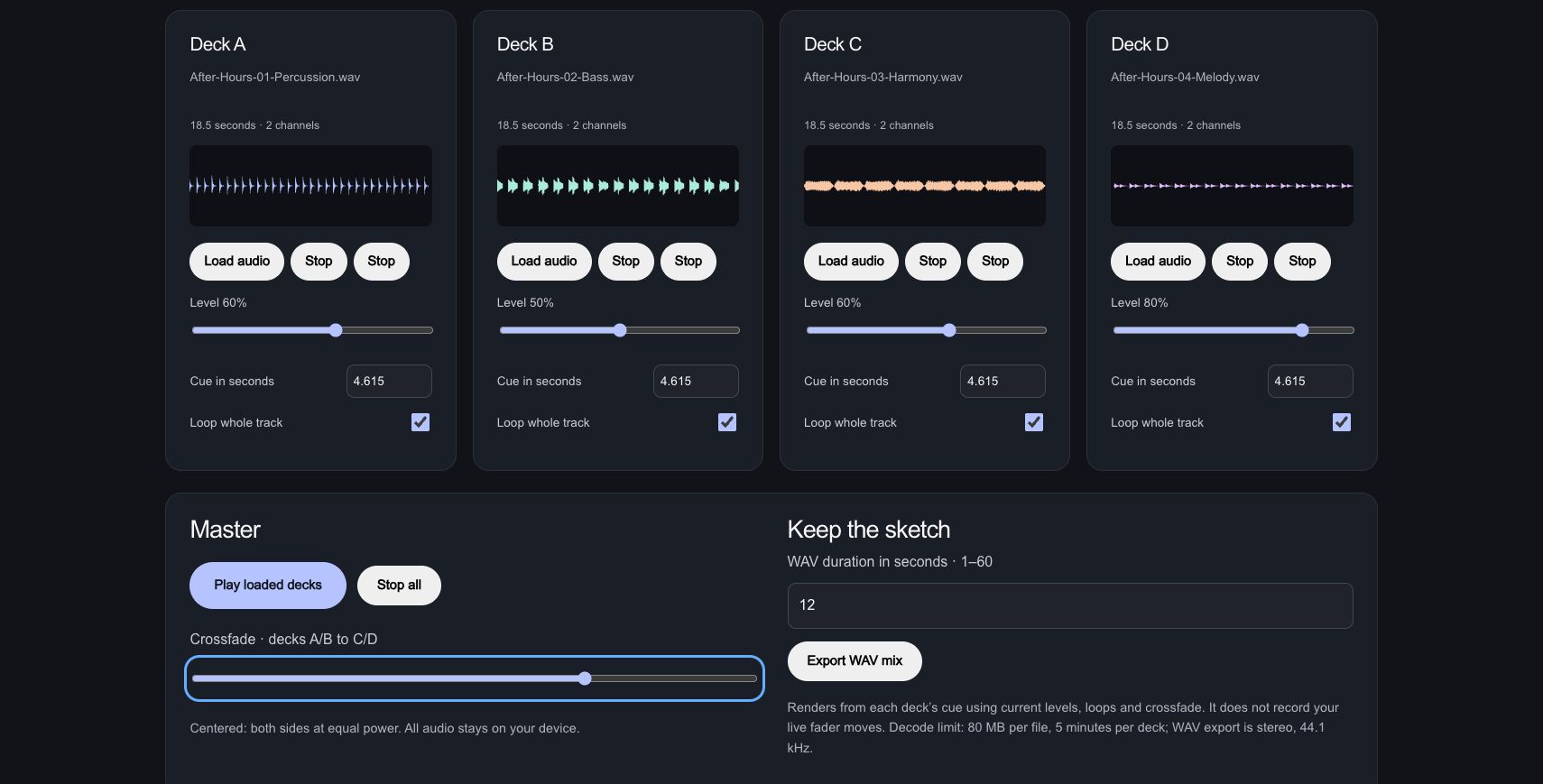
While the loaded decks play, the crossfader moves from the centre to 0.40 toward the harmony and melody decks.
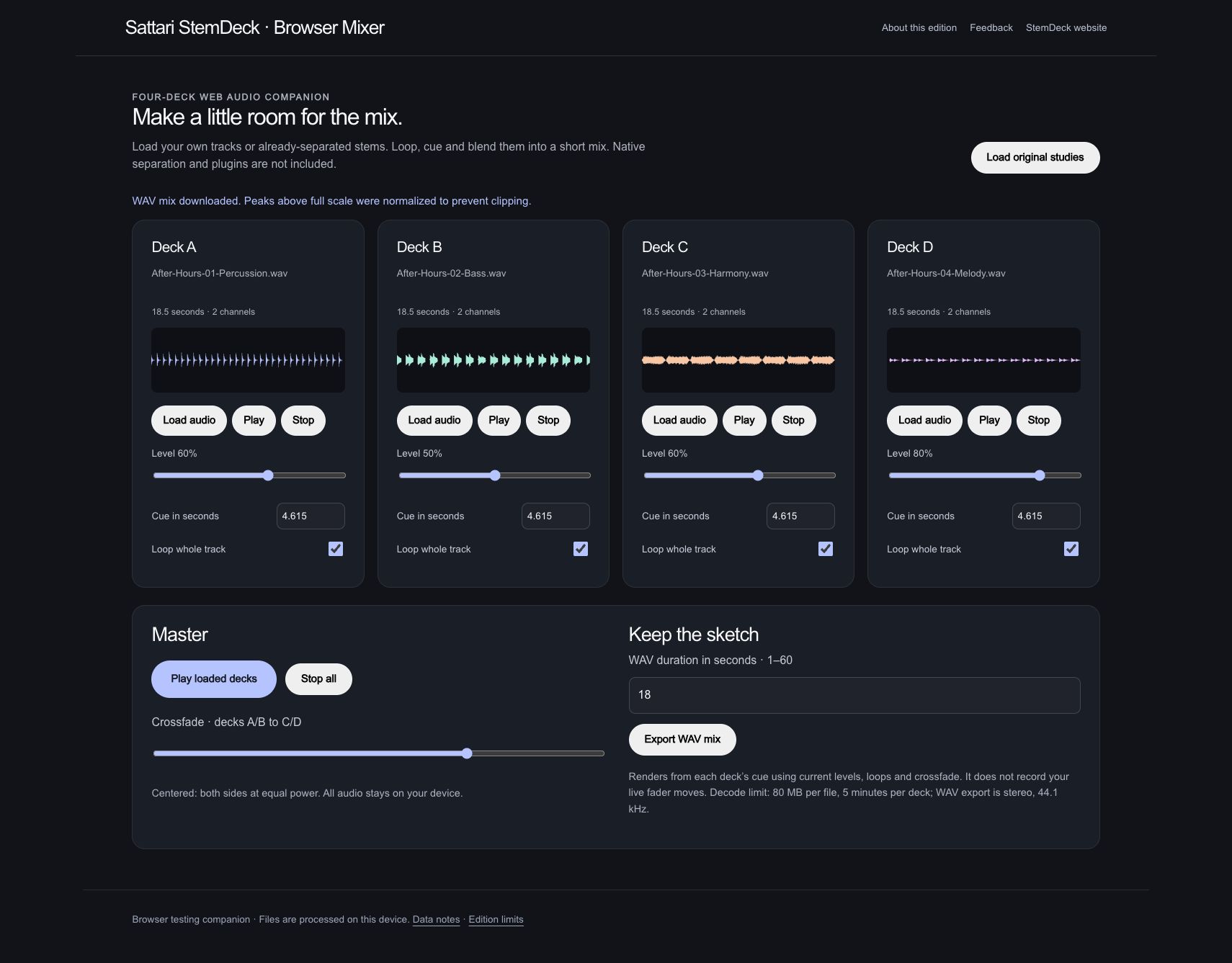
The browser renders an 18-second WAV from those cue, level, loop and crossfade settings. Playback was stopped after the listening check.
The actual 18-second StemDeck output. Press Play to listen; playback starts only when you choose it.
Actual browser companion. The exported stereo, 44.1 kHz, 16-bit WAV was decoded and checked for non-silent audio and clipping. Export uses the current settings; it does not record live fader moves. No source separation or native plugins are implied.
Browser mixer companion / WORKFLOW GALLERY
Real sessions. Four useful moments. A closer look at what you can make.
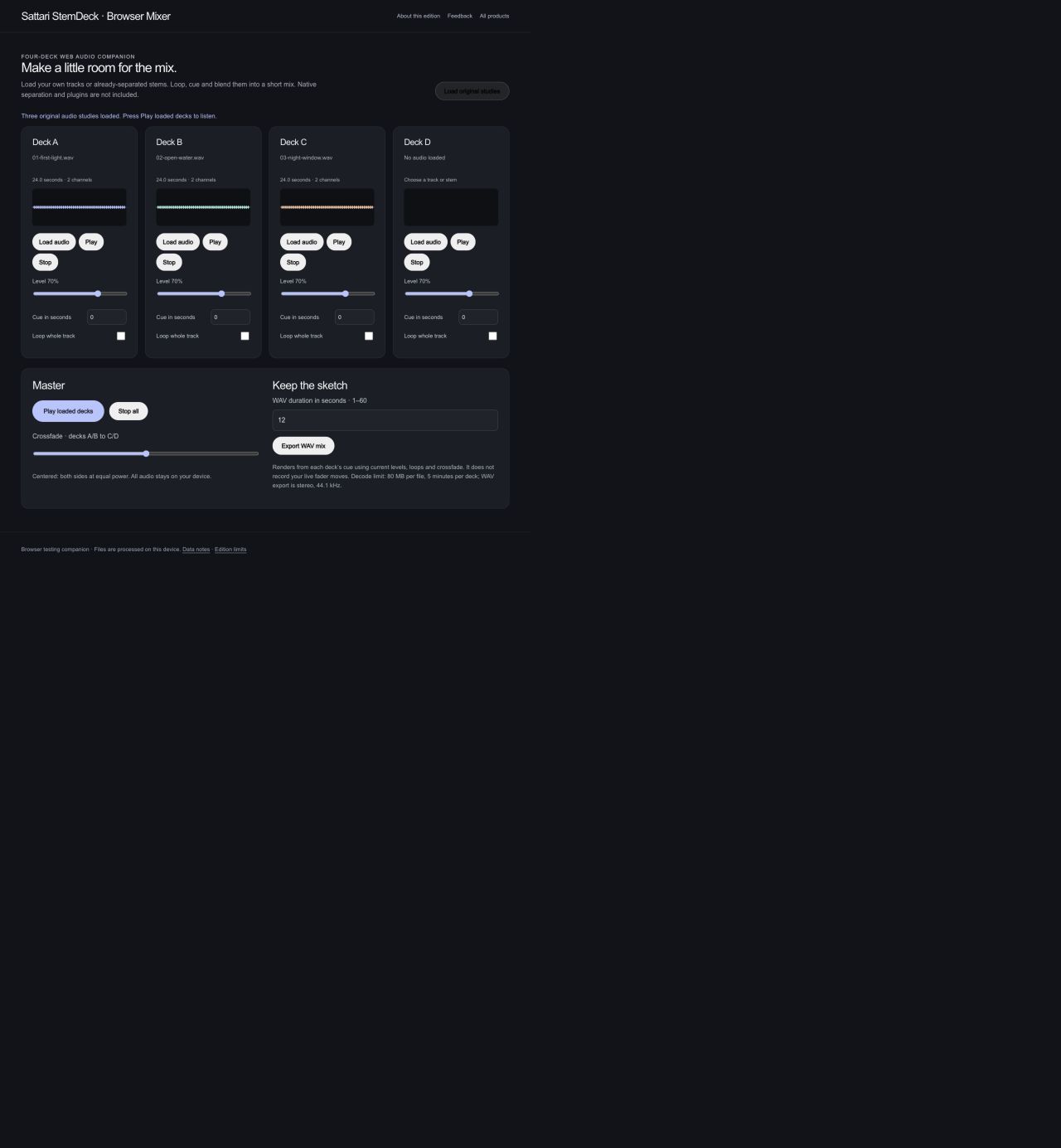
Bring original audio studies into the four-deck browser mixer.
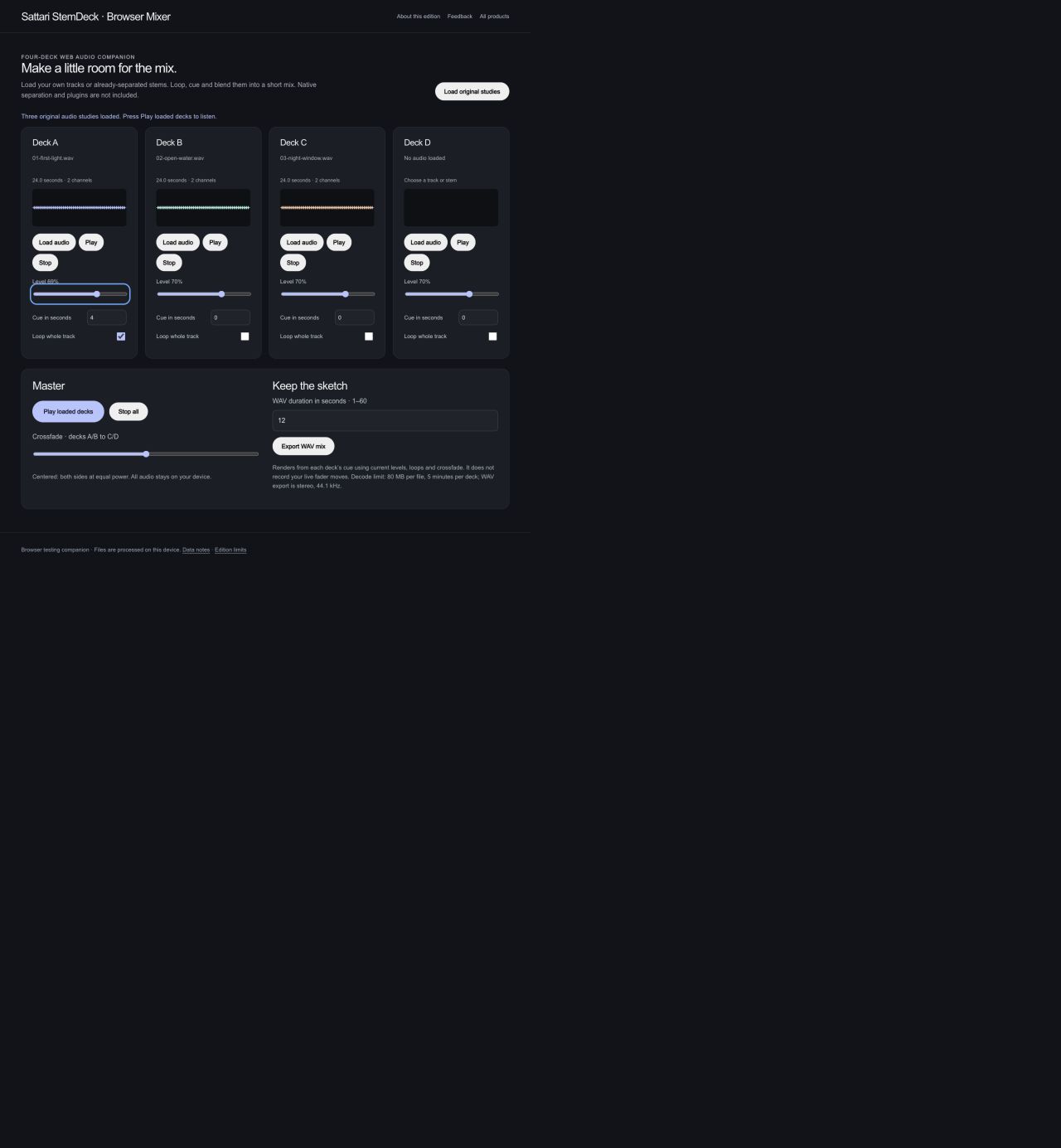
Choose a cue, set a deck level and enable looping.
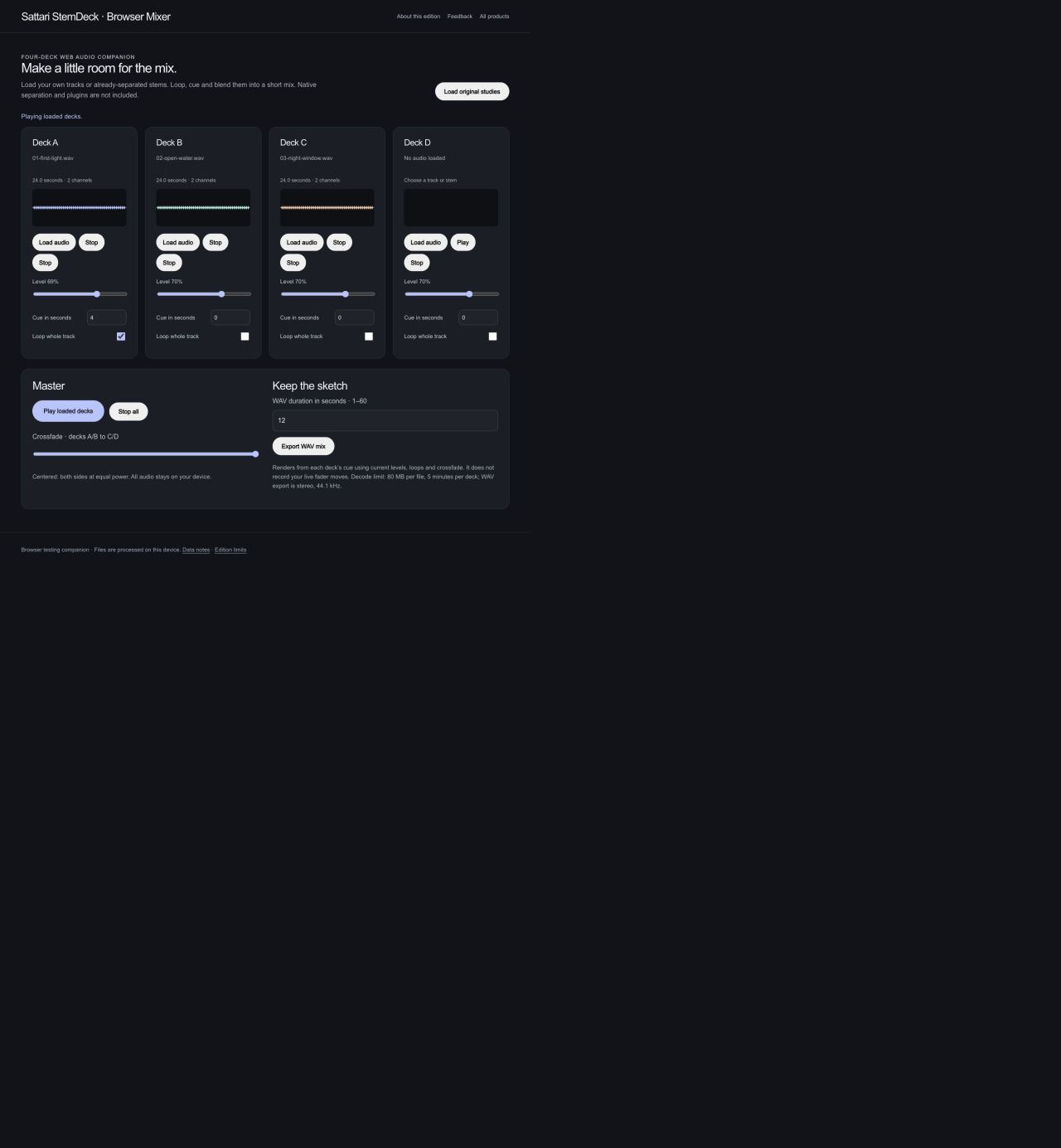
Play the loaded decks and blend the two sides with a crossfader.
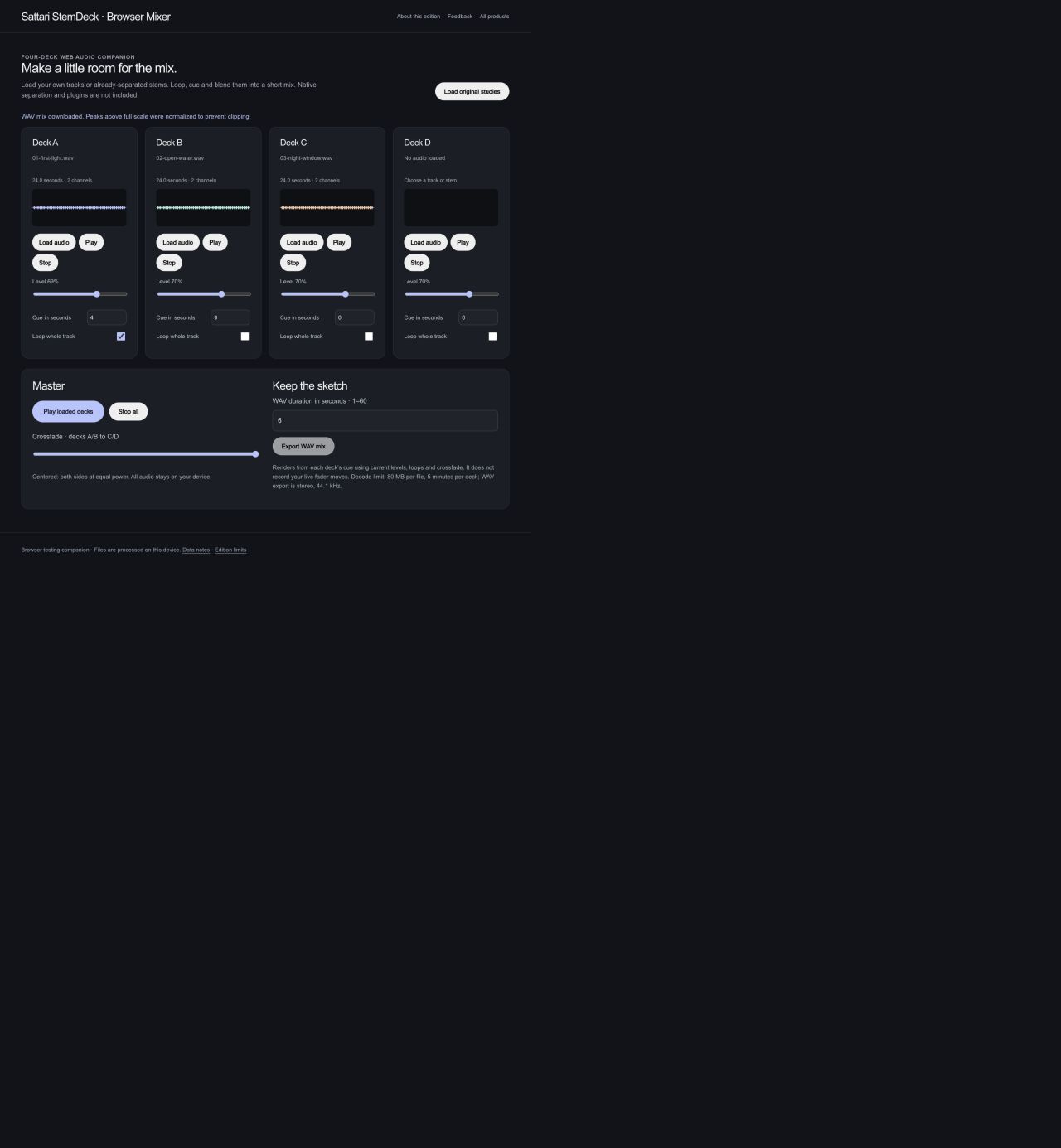
Export a short stereo WAV from the selected cues and current mix settings.
The browser companion mixes loaded audio. Native stem separation, plugins, tempo/key algorithms and Replay are not part of this edition. Actual browser captures · September 29, 2026.
AFTER HOURS / Bounce / Browser player companion
Bring the four original parts and the finished mix into one listening queue. Shape the sound, choose an order, and save it on this device.
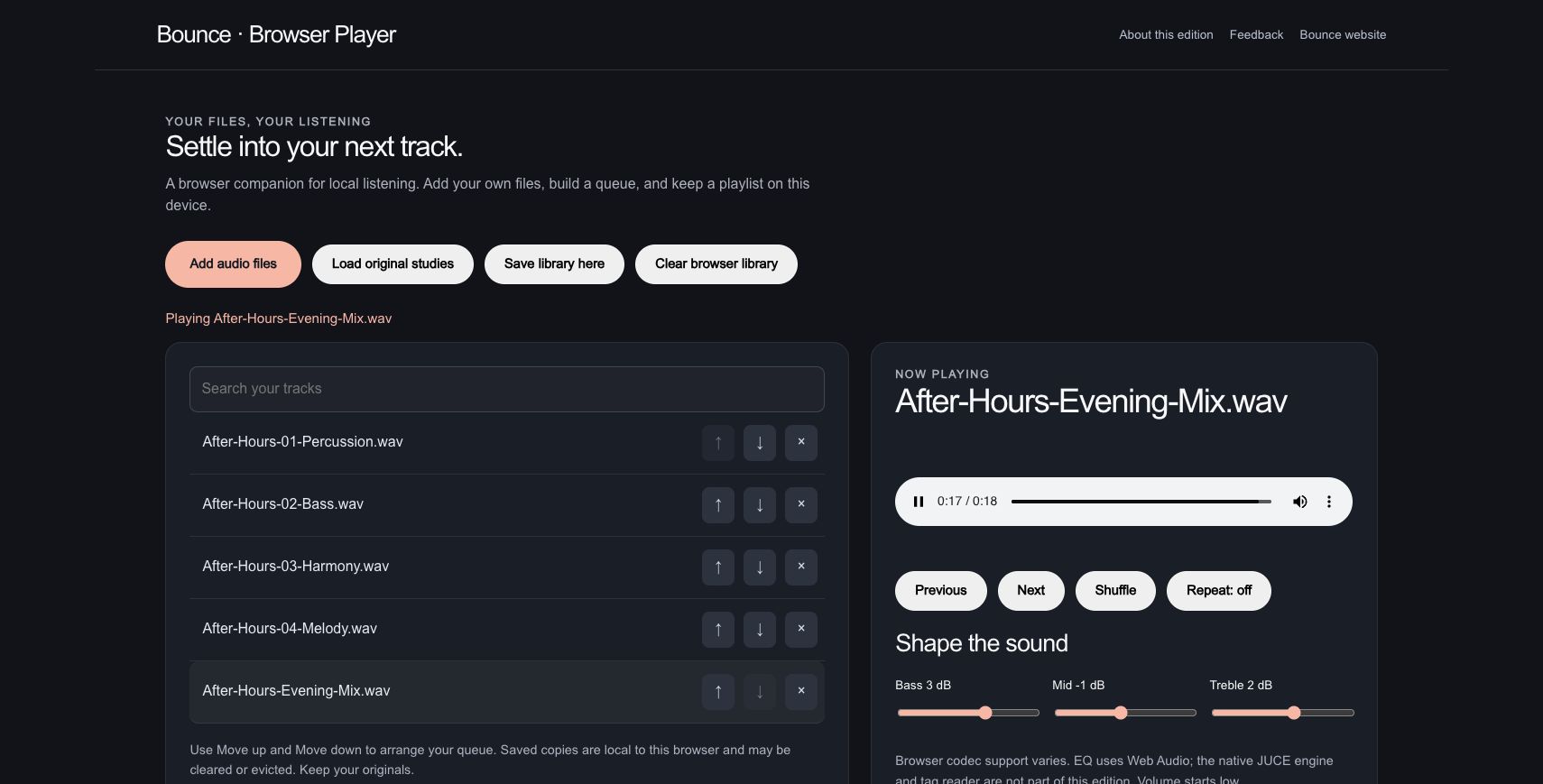
The verified StemDeck output plays alongside its four original source parts in a new five-track collection.
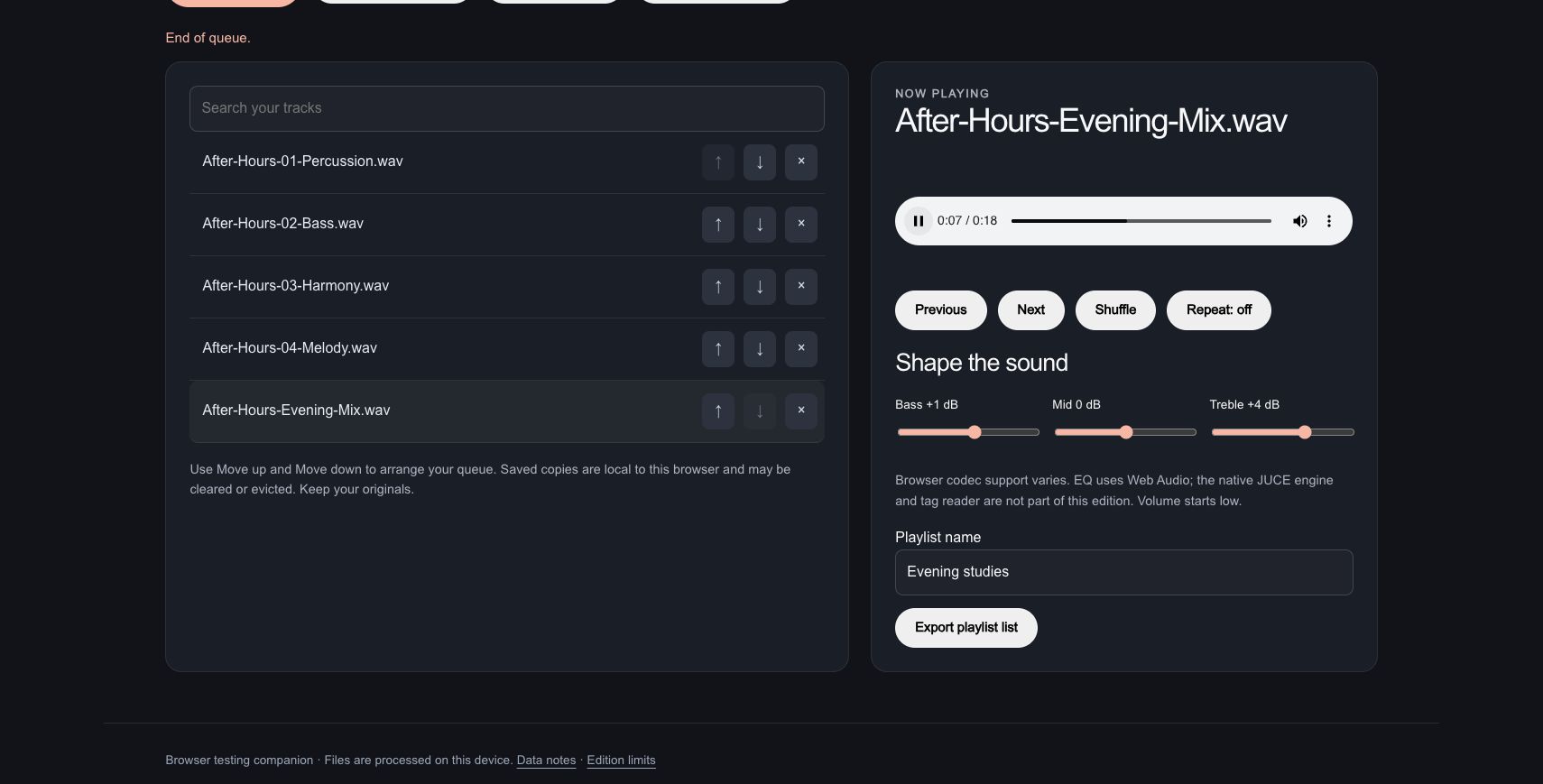
Bass moves to +1 dB, mid to 0 dB and treble to +4 dB. Seeking to about eight seconds picks out a passage in the 18-second mix.
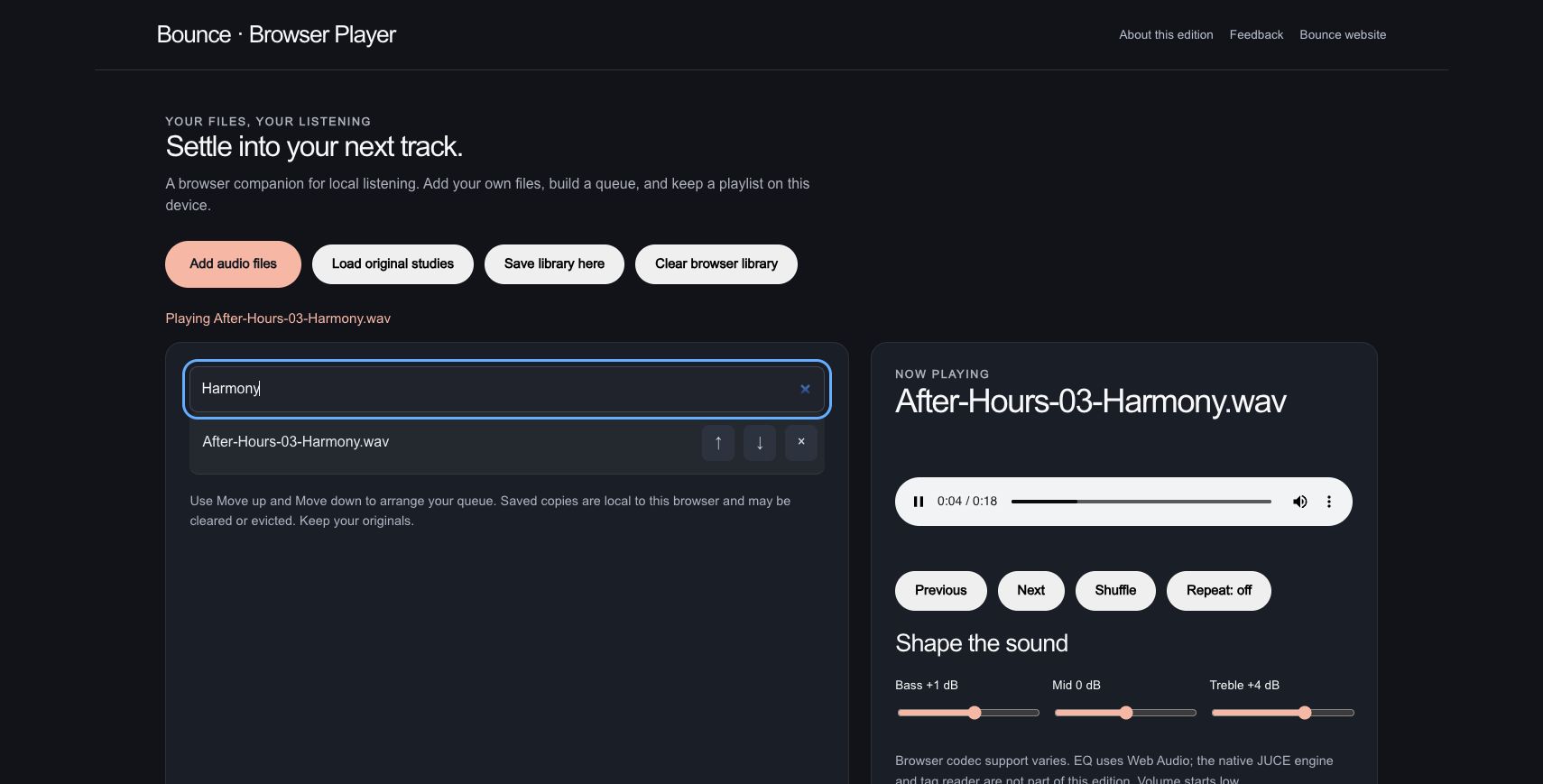
A search for Harmony isolates the matching track. The queue was arranged to move from the complete mix through harmony, melody, bass and percussion.
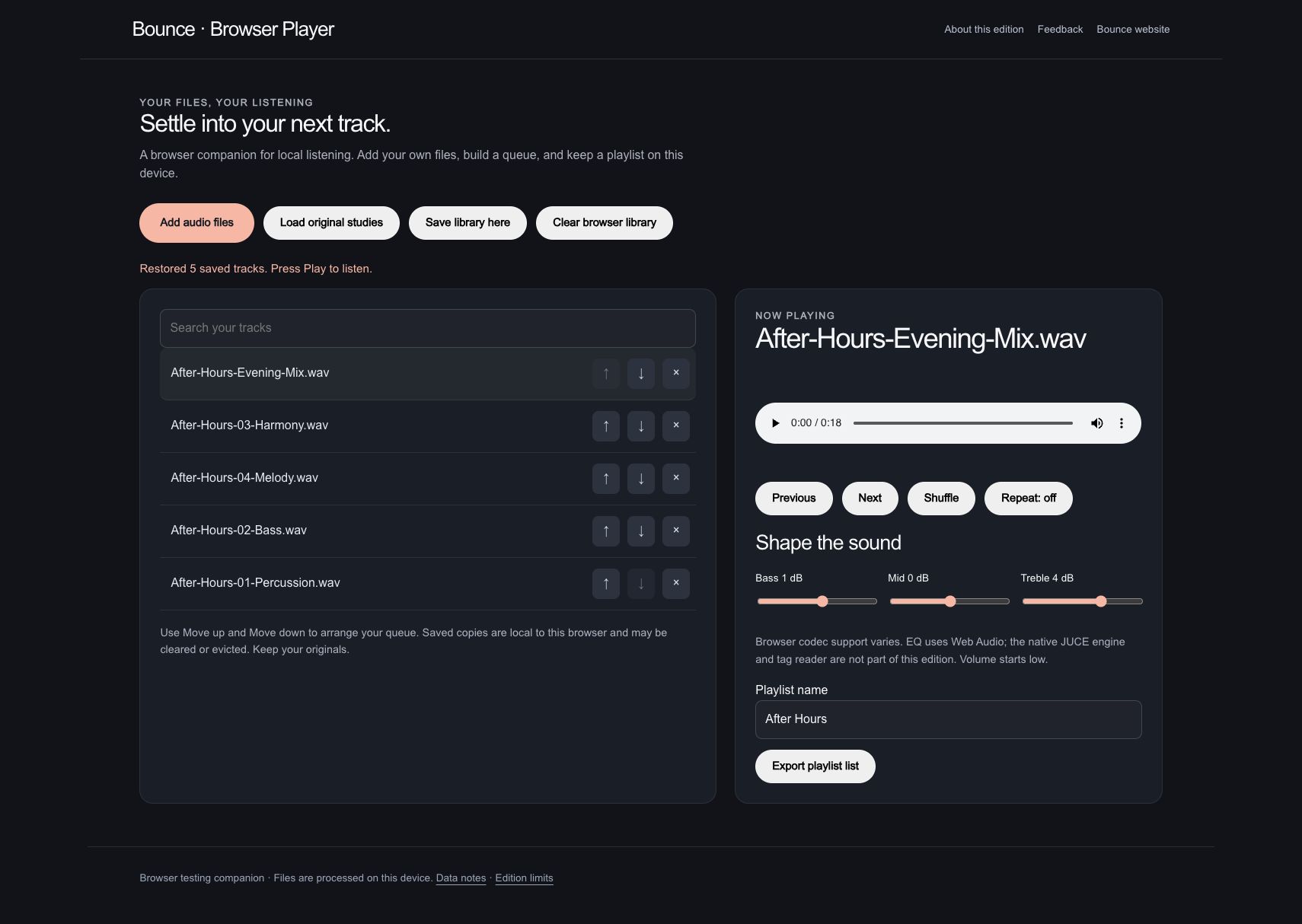
The library is saved as After Hours. After reload, all five tracks return in the chosen order, with the playlist name and EQ settings retained.
The original StemDeck output used in the playlist. This download does not bake in Bounce’s listening EQ.
Actual browser companion. The exported JSON is a playlist file list with filenames and sizes; audio is not embedded in that file. Saved audio copies remain local to this browser and can be cleared or evicted. Original source files were retained.
Browser player companion / WORKFLOW GALLERY
Real sessions. Four useful moments. A closer look at what you can make.
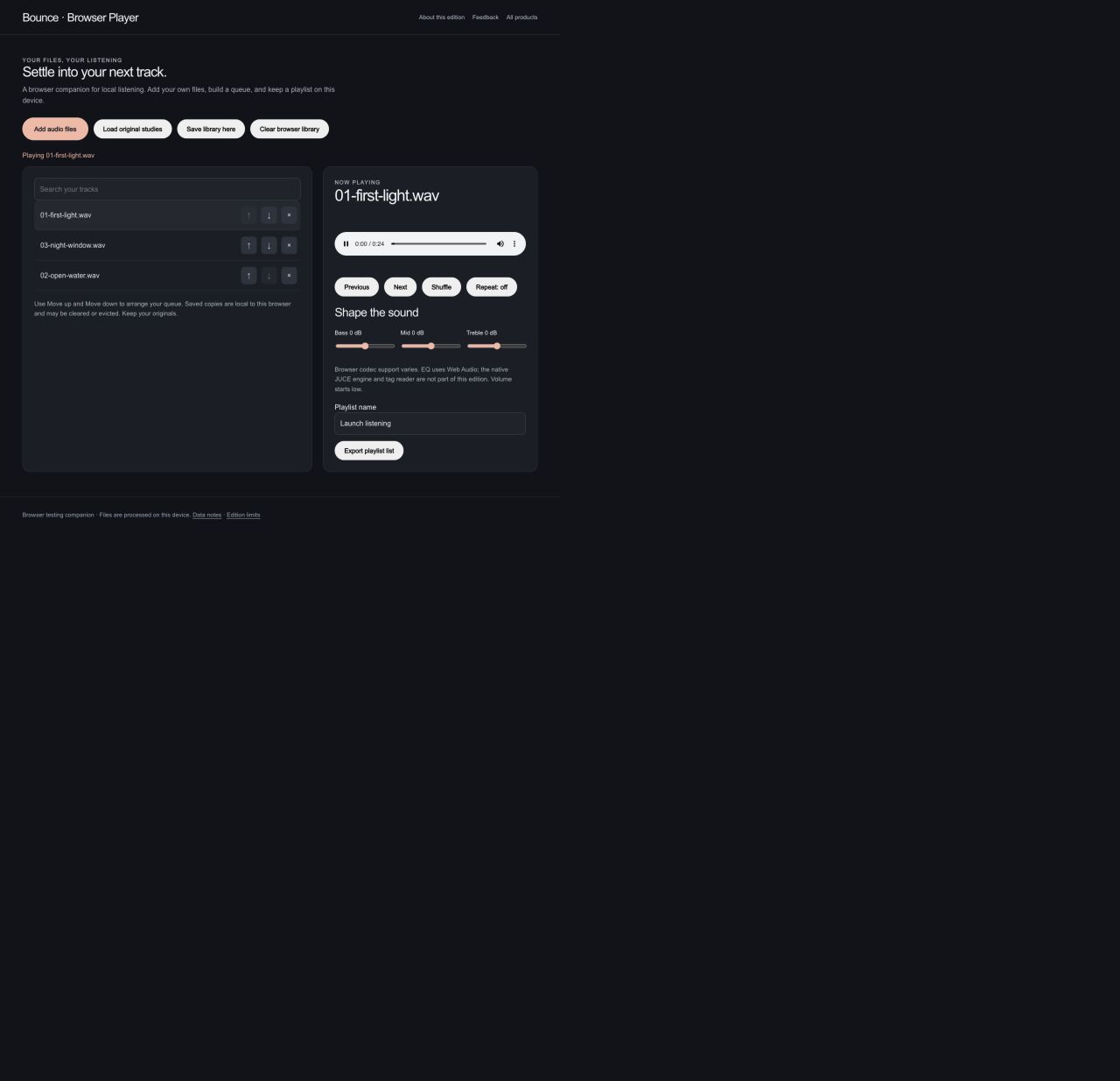
Play original audio studies from a local queue.
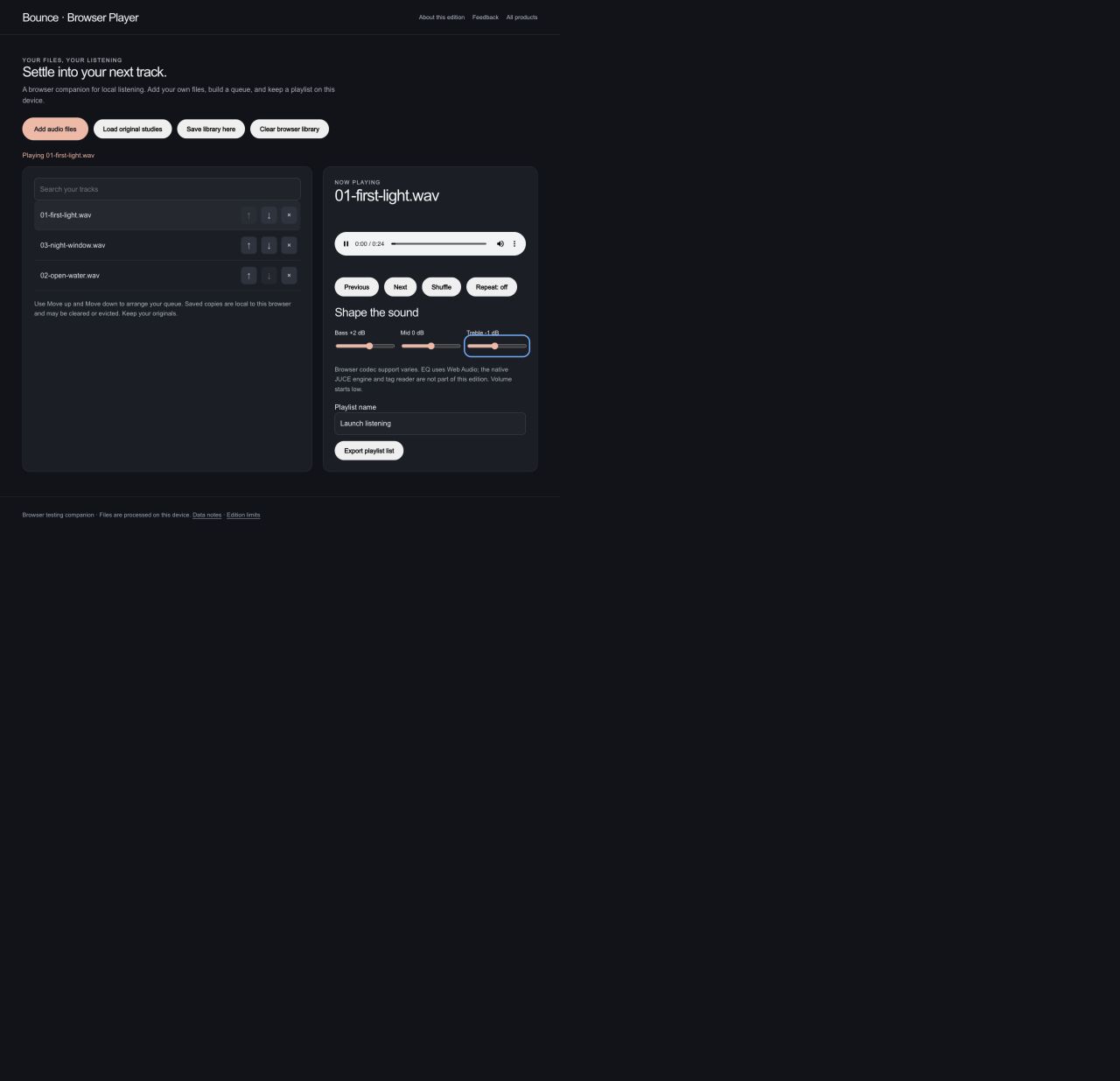
Adjust bass and treble while listening.
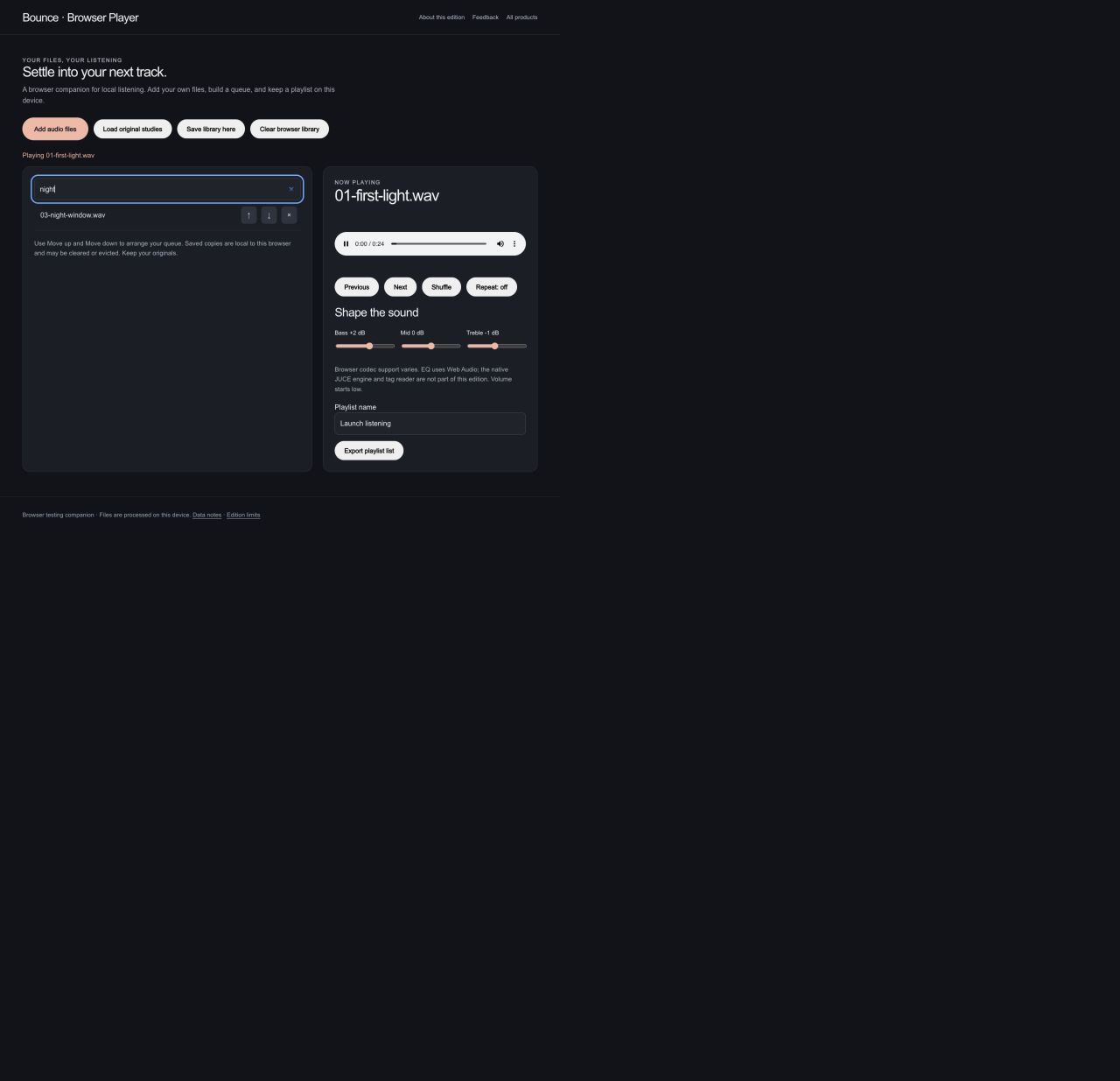
Search a queue of your own audio files.
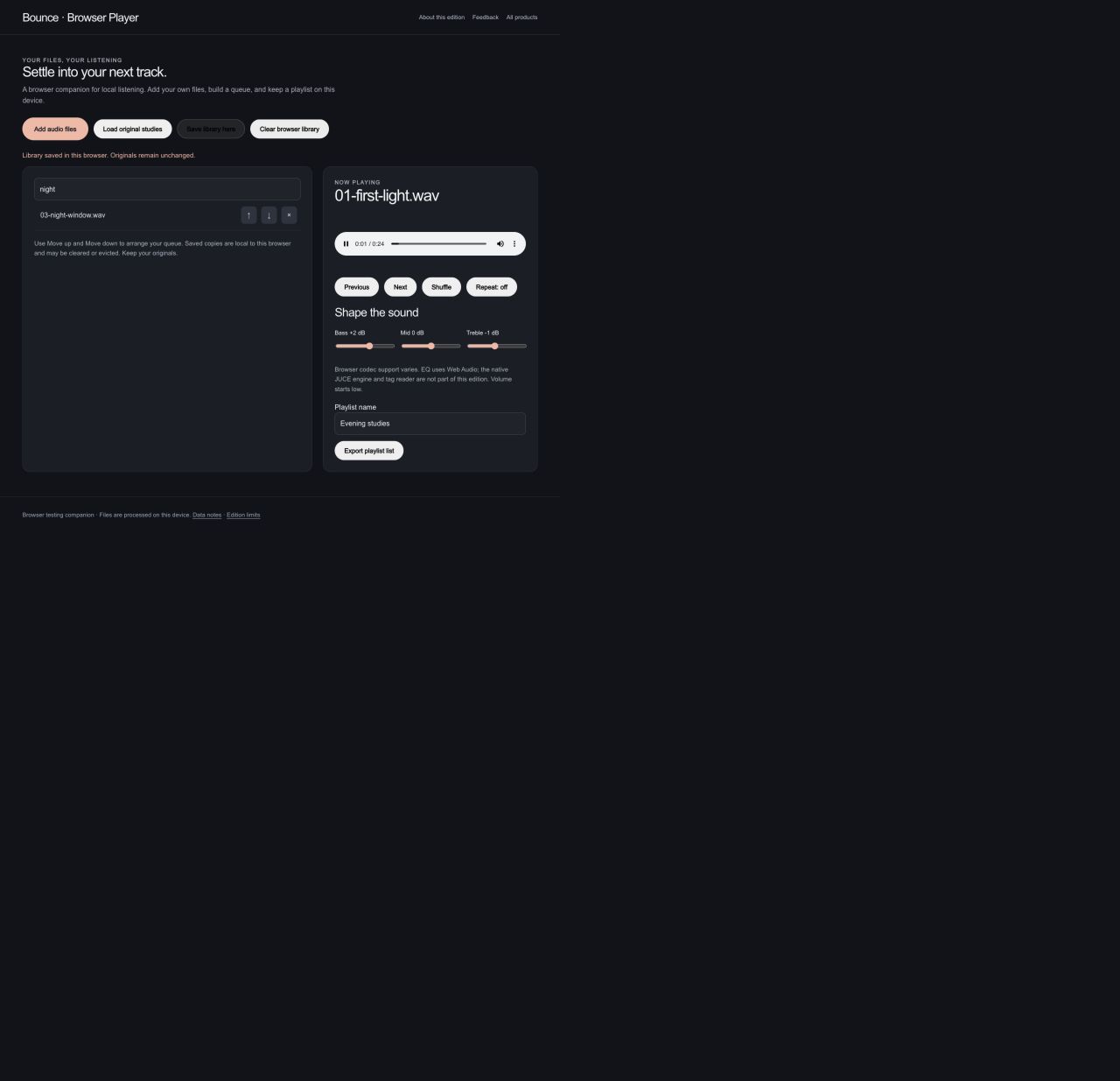
Save a named playlist in this browser for another listening session.
The browser companion plays local audio with EQ and saved playlists. Native metadata scanning and streaming services are not included. Actual browser captures · September 29, 2026.